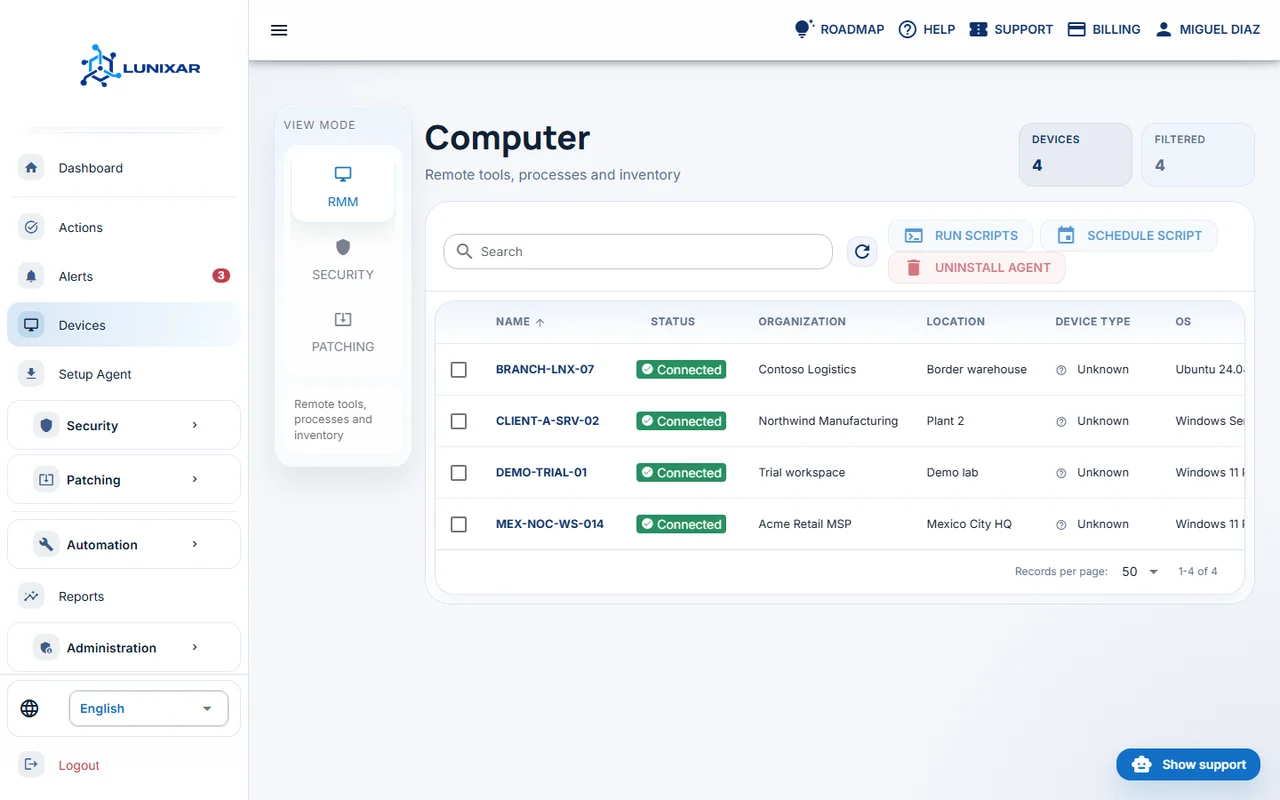
Multi-client management
Organize devices by client from a unified console. Switch context without losing visibility across the rest of your portfolio.
For MSPs
Lunixar RMM centralizes monitoring, automation, and remote support for all your clients in a platform built to scale without added complexity.
2-week trial, no credit card required, up to 5 devices included.
Why Lunixar for MSPs
Capabilities
From your first client to dozens, Lunixar gives you the visibility and control you need without multiplying tools.
Organize devices by client from a unified console. Switch context without losing visibility across the rest of your portfolio.
CPU, RAM, disk, Windows services, and real-time alerts for every device across every client — no on-site presence required.
View pageRun scripts on one or multiple endpoints simultaneously. Reduce manual work and standardize repetitive tasks across clients.
View pageAccess any managed device in seconds from the browser or Windows app — no third-party remote tools needed.
View pageTrack Windows update status across all endpoints. Apply patches selectively or in bulk by client or group.
View pageMonitor antivirus status across every client device, get alerted when it is disabled or malware is detected, and run Windows Defender actions remotely.
View pageOutcomes
Pricing
USD 119/ month · per technician
250 devices included
Flat rate, no per-device costs
USD 99/month with annual billingUSD 1/ device / month
Scale from 1 device
2-week free trial · No credit card required
View all plans →FAQ
Yes. You can organize devices by client from a unified console and switch context without losing visibility across your entire portfolio.
The Technician Plan is the natural fit for MSPs: USD 119/month per technician with up to 250 devices included. There's also a per-device plan at USD 1/month. Both include a 2-week free trial.
Yes. The Lunixar agent is available for both Windows and Linux. Patch management and antivirus features apply to Windows.
Generate an MSI with an embedded token, distribute it to the client's devices, and they appear in your console within minutes — no additional setup needed.
Next step
Sign up, install the agent on up to 5 devices, and validate your MSP workflow over 2 weeks at no cost.
Start free trial