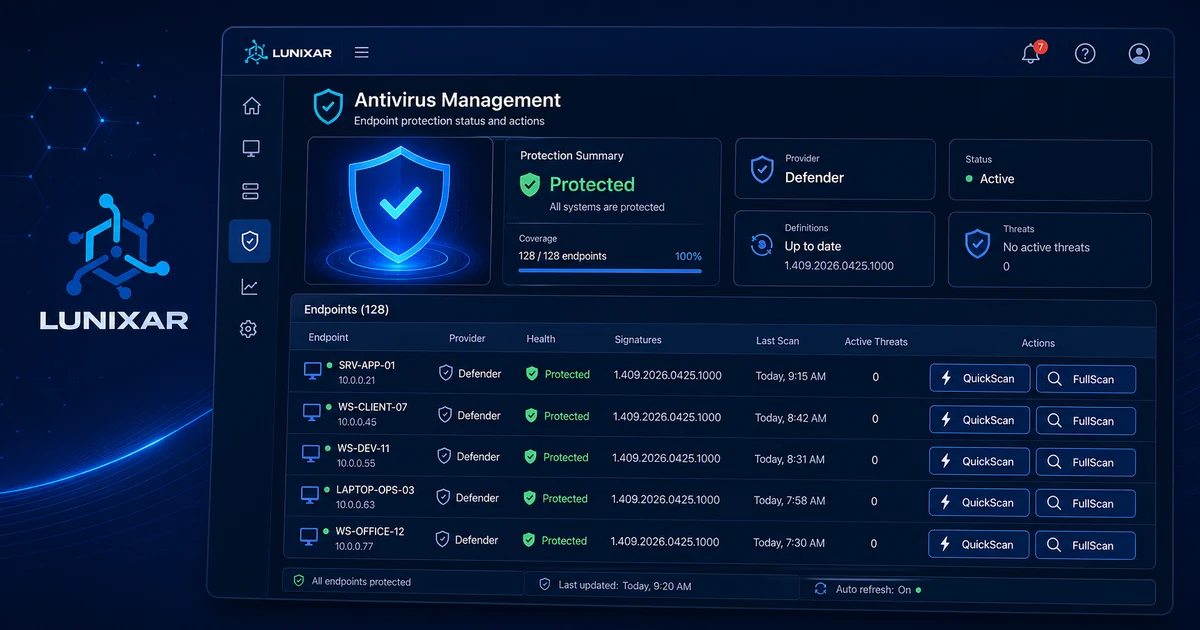


Antivirus status per device
View the detected provider, health state, signature age, and last quick and full scan timestamps for every managed endpoint.

Antivirus & endpoint security
Monitor antivirus status per endpoint, receive alerts, and run QuickScan, FullScan, UpdateSignatures, or RemoveThreats on Windows Defender. Other antivirus providers and Linux remain visibility-only.
Windows supports Defender actions. Linux reports firewall, SSH, sudo admins, log provider, and posture risk signals in visibility mode.
Antivirus coverage

Capabilities
Antivirus visibility, Defender actions on Windows, and Linux posture without promising remediation that does not exist yet.
View the detected provider, health state, signature age, and last quick and full scan timestamps for every managed endpoint.
Review firewall state, SSH configuration, root login, password or public-key authentication, sudo admins, log provider, and posture risk signals on compatible Linux endpoints.
See active threats, allowed threats, quarantined items, and configured exclusions on each Defender-enabled device.
Run QuickScan, FullScan, UpdateSignatures, and RemoveThreats on individual devices from the console. Each action creates a security job with pending → processing → ready or failed status.
Select multiple online devices and run Defender actions in bulk: update signatures, quick scan, full scan, or remove threats across the fleet.
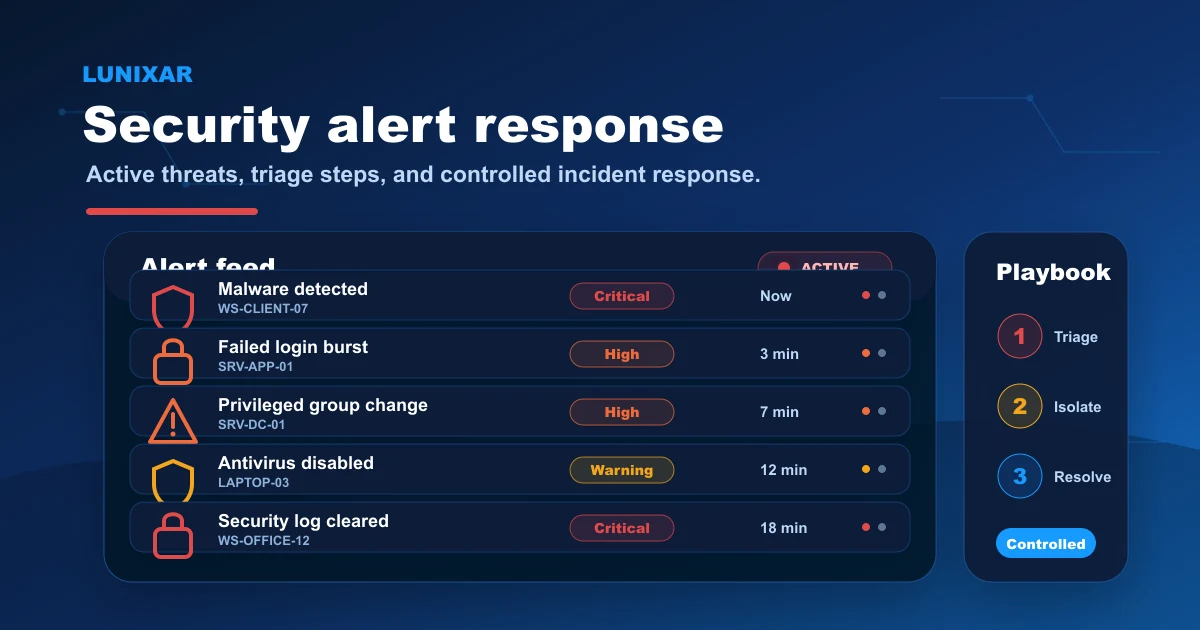
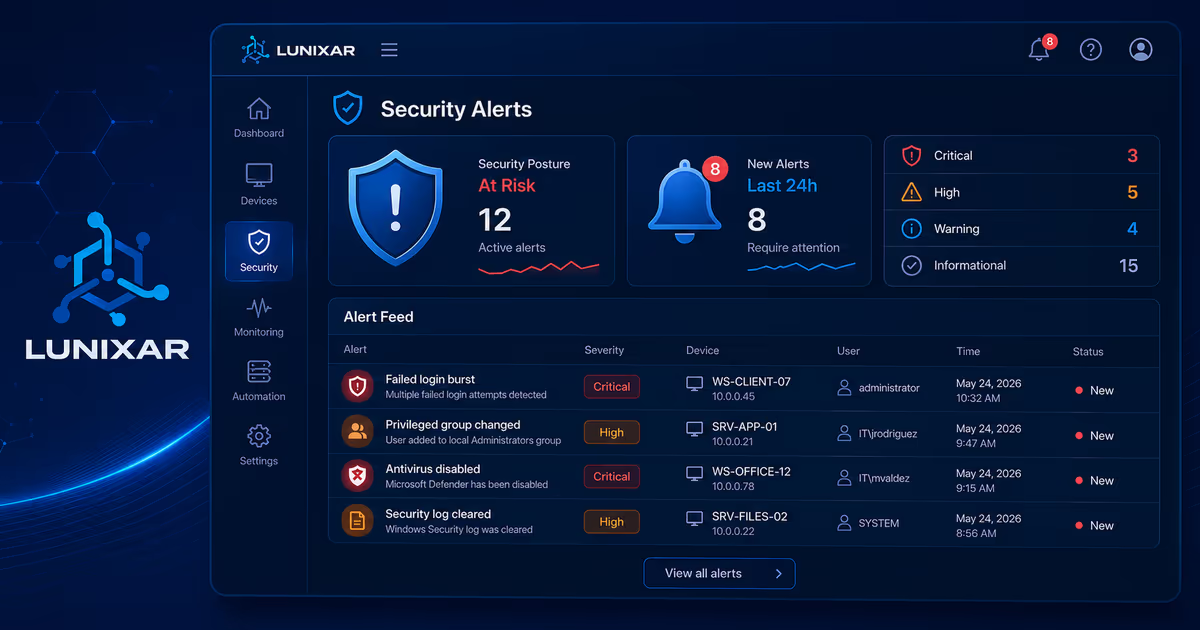
The platform sends automatic email alerts when antivirus is disabled, when Defender detects active malware, or when a Defender exclusion is added on a device.
Define the expected security state for the tenant and per device. The platform evaluates compliance and surfaces which endpoints are out of policy.
3-step process
The agent publishes the antivirus snapshot, the platform persists and notifies, and the operator can act remotely from the console.
1
The Windows agent collects antivirus state — provider, health, signatures, active threats, quarantine, and exclusions — and publishes the snapshot to the platform.
2
If antivirus is disabled, malware is detected, or a Defender exclusion is added, the platform generates the corresponding alert and sends an email notification to enrolled recipients.
3
From the device view or the security index, the operator runs the required Defender action. The security job records the execution state and result.
FAQ
You can view protection status and run QuickScan, FullScan, UpdateSignatures, and RemoveThreats directly from the platform.
Linux does not run Windows Defender actions. On compatible Linux endpoints, Lunixar shows security posture in visibility mode: firewall, SSH, sudo admins, log provider, and posture risk signals.
No. The Lunixar agent interacts with Windows Defender already built into the OS. No third-party antivirus solution is required.
Yes. The centralized dashboard shows Defender status per device, letting you quickly identify endpoints without active protection.