If you manage devices for clients or for your own internal IT operations, you already know endpoint security is not just about having an antivirus installed.
What really matters is being able to quickly see whether a device is still protected, whether there are signs of risk, and whether you can respond without wasting time jumping between different tools.
That is where a new Lunixar capability comes in:
Antivirus management in beta for Windows devices.
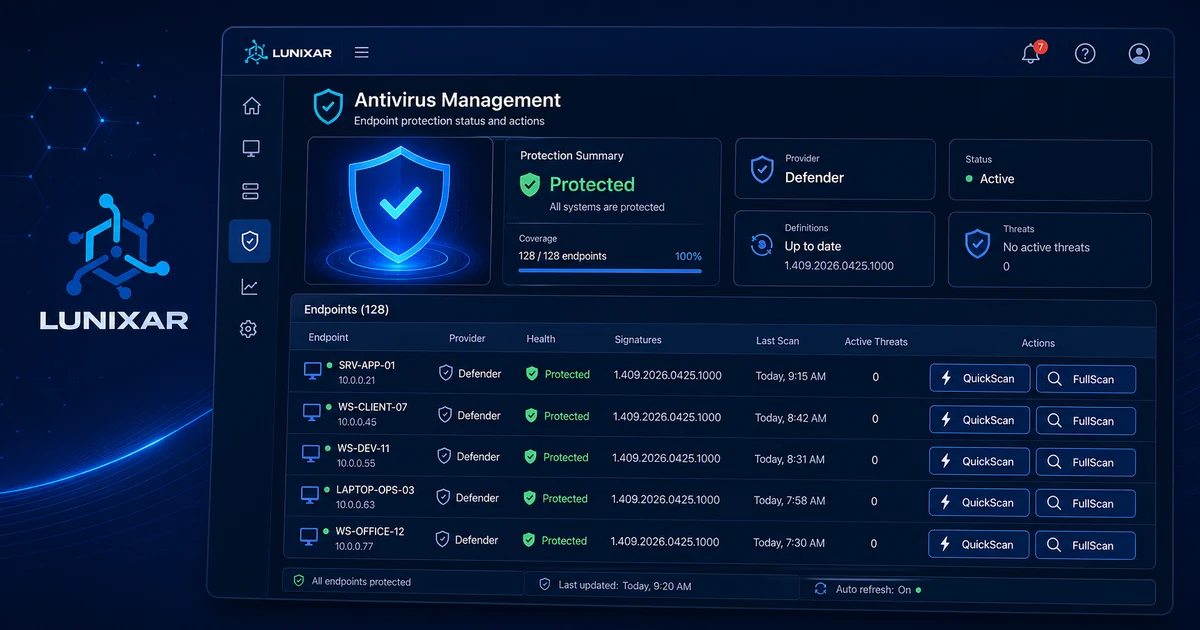
This new feature is designed to give you more visibility into endpoint security and help you work with more context from the same place where you already manage your devices.
This is not only about showing whether an antivirus is present. It is about starting to centralize useful security information for day-to-day operations and reducing friction when it is time to review the protection status of a device.
1) The real problem: having antivirus does not always mean having visibility
In many environments, antivirus is already installed and running.
But when someone needs to confirm the actual security state of a device, the story changes.
Because the time-consuming questions start coming up:
- which antivirus is active
- whether protection is still enabled
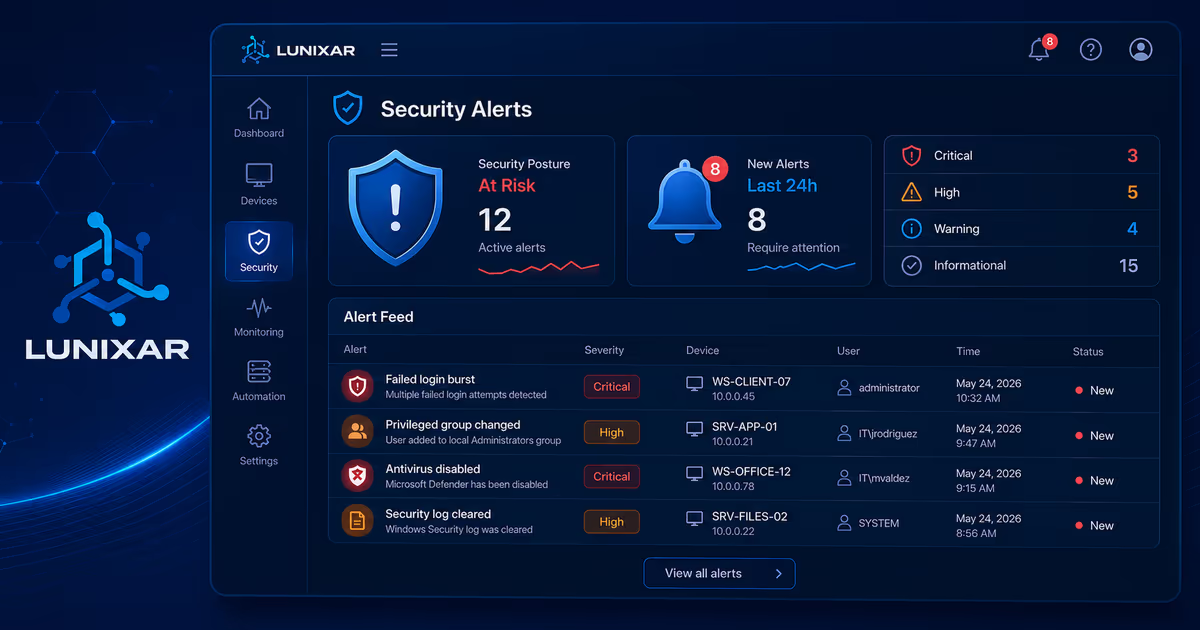
- whether threats have been detected
- whether there are items in quarantine
- whether something was allowed locally
- or whether there are exclusions that deserve attention
And when that information is not centralized, follow-up becomes slower, more manual, and more reactive than it should be.
2) What this new Lunixar feature brings
With this beta, Lunixar starts bringing more endpoint security context into the same platform where you already handle monitoring, administration, and support.
That means a more practical way to review overall antivirus status, detect relevant security signals, and follow up without depending so much on scattered checks or manual validation.
The idea is simple:
less fragmentation and more useful visibility inside your normal workflow.
3) Today, the focus is on Microsoft Defender
At this stage, antivirus management in Lunixar is available in beta for Windows devices with a focus on Microsoft Defender.
That means the most complete experience within this feature today is centered on Defender, both for visibility and for certain endpoint security actions.
It is important to say that clearly because this feature is still evolving, and it is not being presented as deep, equivalent support for every antivirus product from day one.
4) Going forward, the direction is to centralize visibility through Windows Security
Going forward, Lunixar’s direction is to keep centralizing security visibility through Windows Security.
Why does that approach make sense?
Because in many Windows environments, the most valuable thing is not forcing technicians to open a different console for every vendor just to get basic endpoint context.
What is usually more useful is having a more unified view that helps answer operational questions like:
- which product is protecting the device
- what the overall security status looks like
- whether there are signs that need attention
- and whether action or escalation is needed
That approach makes operations more practical, more consistent, and less dependent on separate vendor-specific workflows.
In other words:
instead of turning endpoint security into a collection of isolated panels, Lunixar aims to bring visibility into the same place where you already manage the rest of the device.
5) Why that can be better for MSPs and internal IT teams
For many IT teams and service providers, having to jump between multiple consoles just to validate basic security information adds unnecessary friction.
You do not always need to open a different tool just to know whether a device is protected or whether there is already a relevant signal that needs follow-up.
Centralizing visibility through Windows Security helps make everyday tasks easier, such as:
- quickly validating the overall state of an endpoint
- detecting threats or relevant findings
- reducing time lost on manual checks
- operating with more context from the same platform
- and maintaining a more consistent experience across Windows environments
That does not mean replacing every specialized console in every case.
It means something more practical for day-to-day operations:
better context without leaving your normal management workflow.
6) It also helps teams respond faster when something needs attention
Visibility matters, but response speed matters too.
When a threat appears or a sensitive signal shows up on an endpoint, having that context inside the same platform helps teams react with less friction.
That makes day-to-day work more agile, especially when the goal is not only to observe device status, but also to identify faster when something needs immediate attention.
7) This beta is a foundation, not the final destination
Because this feature is still in beta, there is still clear room to grow.
The goal is not to say that everything related to antivirus management in Windows is already solved. The goal is to build a practical and useful foundation so endpoint security visibility becomes increasingly integrated inside Lunixar.
As this feature evolves, the value will come from continuing to reinforce that centralization:
less fragmentation, more context, and a more operable way to review security from the same platform.
Closing
The new antivirus management beta is another step in Lunixar’s effort to expand what you can do from a single platform.
Today, this experience is focused on Microsoft Defender on Windows devices.
Going forward, the vision is to continue using Windows Security as a point of centralized visibility, creating a more unified, practical experience with less friction for IT teams and service providers.
Because in the end, better operations do not always come from having more tools.
Many times, they come from something simpler:
having the right information, in the right place, at the right time.