There's a massive difference between finding out something broke because the user already called you, and finding out because your system flagged it before anyone noticed.
That difference — in practice — is what separates a reactive IT operation from one that actually runs well.
A well-used RMM changes very concrete things in your day-to-day. Not magic, not hype: operational advantages you feel on every shift.
Here are the 5 that matter most.
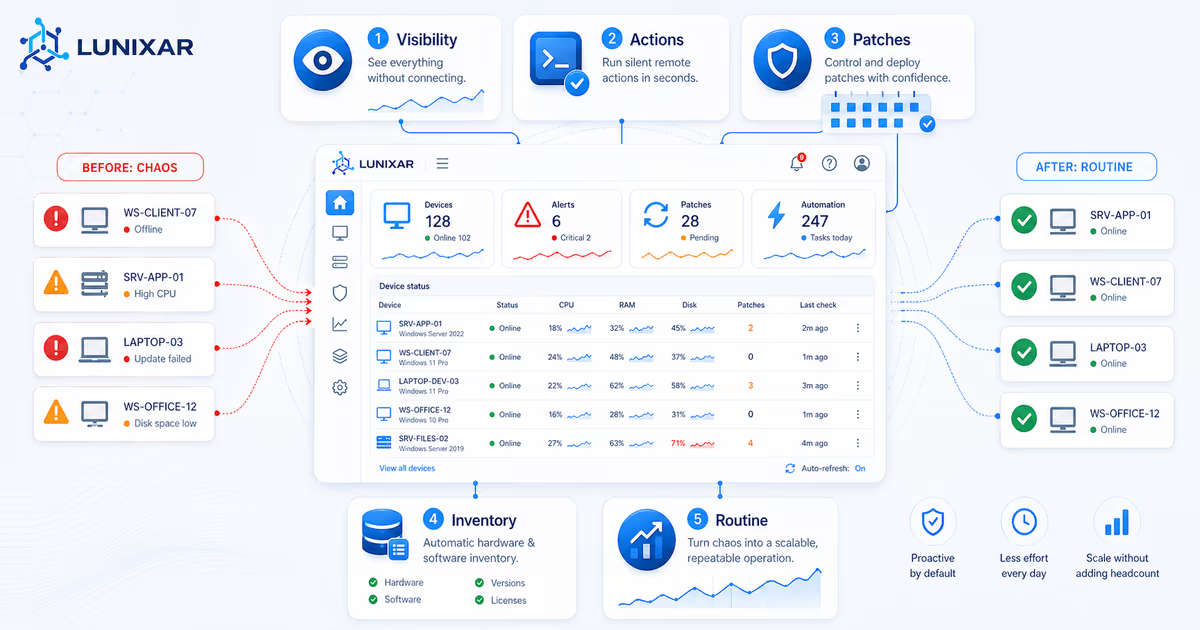
1) You see your entire fleet without connecting to anything
Without an RMM, to know "how a device is doing" you have to connect to it. AnyDesk, TeamViewer, whatever. That means interrupting the user, waiting for them to be available, reviewing machines one by one.
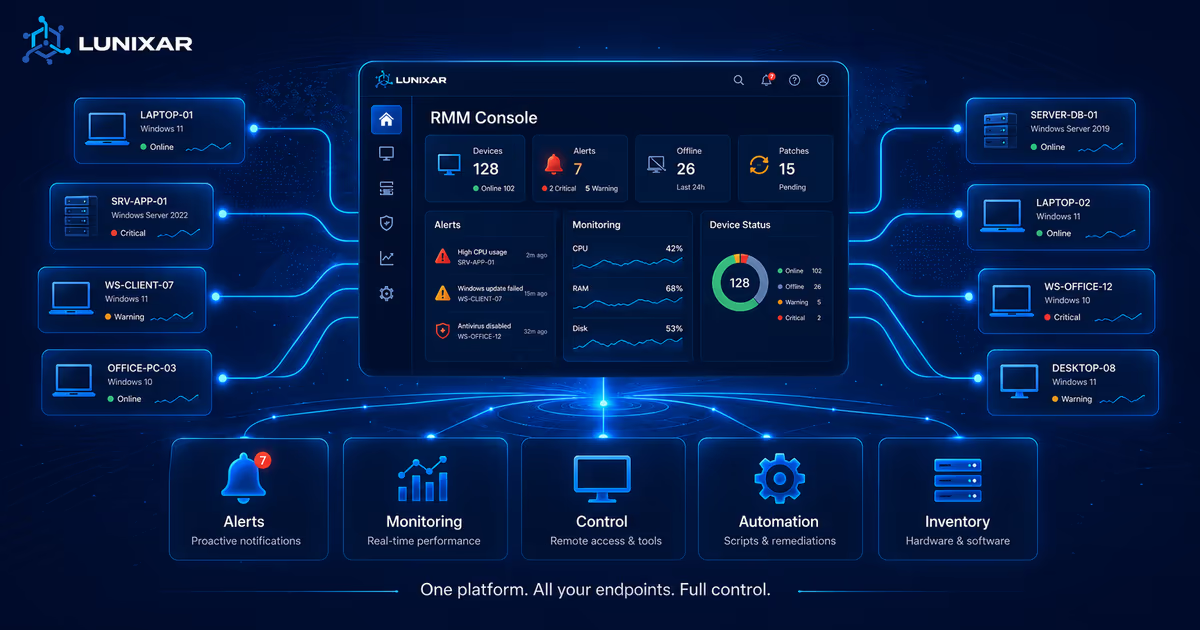
With an RMM, the dashboard gives you context without touching anything:
- CPU, RAM, and disk usage in real time.
- Antivirus status and pending patches.
- Active services and running processes.
- Alert history and recent events.
You don't need to connect to know the accounting server has been at 95% CPU for 3 hours, or that the manager's laptop has had Defender disabled since yesterday.
You see everything. Without bothering anyone.
2) You act in the background — the user doesn't even notice
One of the most underrated advantages of an RMM is that many actions run without interrupting anyone.
Need to restart a service? You don't open a remote session, you don't ask the user to "hold on a sec." You do it directly, in the background, done.
Need to run a script on 20 machines? Classic remote access means 20 sessions, one by one. With an RMM, you push the script to all 20 at once, see each result, and you're done in 15 minutes.
That changes things:
- The user keeps working without interruptions.
- You process more devices per hour.
- Routine tasks stop eating your day.
3) Patches get applied when you decide, not when the user feels like it
Uncomfortable question: how many devices in your fleet have Windows updates pending for more than 30 days?
Without a centralized system, the honest answer is usually: several. Because Windows Update gets "pushed for later," users postpone or disable it, and you have no visibility into who's current and who isn't.
With an RMM, patch management stops depending on each user's goodwill:
- You see exactly which updates are missing on each device.
- You decide which patches to apply and when.
- You trigger the installation from the platform — the user doesn't do anything.
- Everything is logged: what was installed, when, and with what result.
This shrinks your attack surface and gives you a level of control that doesn't exist when every device "updates on its own (or doesn't)."
4) Inventory tells you what's there — no asking required
How many times have you spent 10 minutes looking for information that should be right there?
"What version of Windows does that machine have?" "How much RAM does the sales team's computer have?" "What software is installed on the backup server?" "Who installed that program nobody recognizes?"
Without an RMM, each of those questions means connecting to the device, asking the user, or checking manually.
With an RMM, the inventory is always there and always current:
- Hardware: CPU, RAM, disks, operating system.
- Software: every installed application, with version and publisher.
- History: what changed since the last snapshot.
It's not an inventory someone "did once in a spreadsheet." It's the real state of the device, updated automatically every time the agent syncs.
That's enormously valuable when you need to respond fast: audits, license renewals, first-level support, incident analysis.
5) Chaos becomes routine — and that scales
The four advantages above share one thing: they turn unpredictable work into systematic work.
Without an RMM:
- You don't know the state of your fleet until something breaks.
- Every problem requires investigation from scratch.
- The same tasks get done manually, one by one.
- Scaling means hiring more people to do the same thing.
With an RMM:
- The dashboard tells you the state before there are problems.
- Scripts standardize how common issues get resolved.
- Alerts act as your eyes when you're not looking.
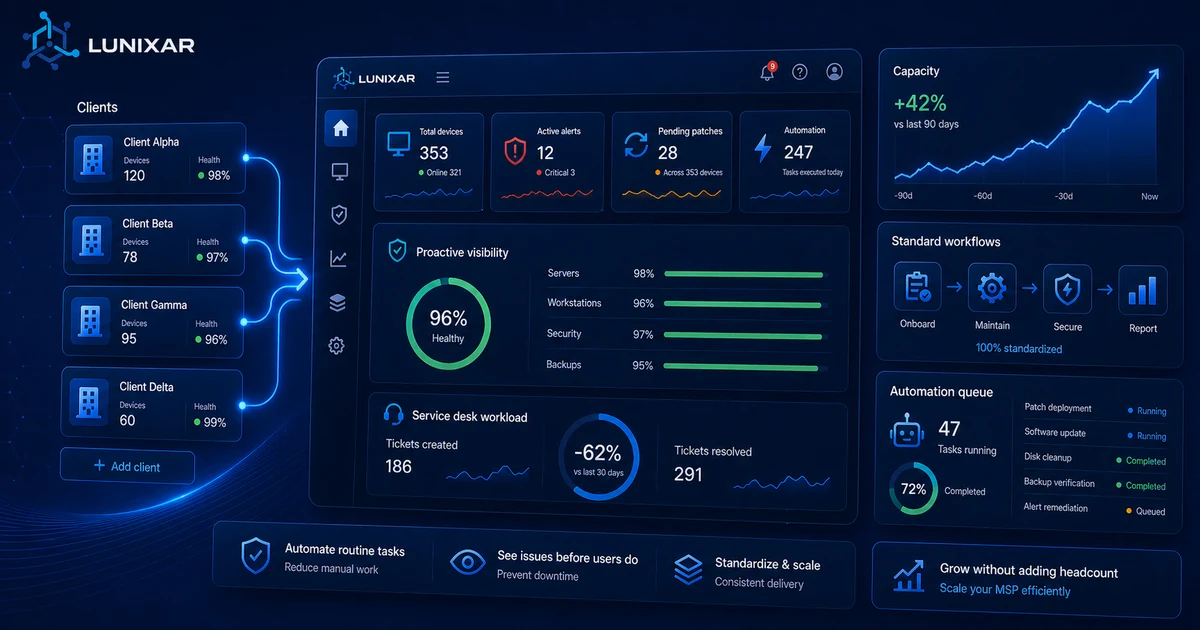
- More endpoints don't mean proportionally more work.
That's what lets a technician with a good RMM manage a fleet that without tools would require a whole team.
Not because they're superhuman. Because the system does work that used to fall on people.
What makes these advantages actually show up
Having an RMM doesn't guarantee anything on its own. The difference is using it as a system, not just a break-glass emergency tool.
- Visibility: reviewing the dashboard as part of your normal flow, not just when something breaks.
- Automation: turning repetitive tasks into reusable scripts.
- Consistency: setting patch, alert, and monitoring standards that apply across every device.
When that becomes habit, the advantages aren't theoretical — you feel them daily in the tickets that don't arrive, the problems you fix before anyone reports them, and the time you get back for what actually matters.
Lunixar RMM is built so these advantages don't require complex setup or enterprise budgets: monitoring, inventory, remote access, scripts, and patching in one platform, with a pricing model designed for MSPs and IT teams that want control without friction.
Related reading to keep going
If you want to turn this topic into a real operating workflow, continue with these guides: