You have Linux servers. You have Windows workstations. And you have a spreadsheet with device names that nobody updates anymore.
In practice, that means you know less about your fleet than you think.
The Windows machines get managed with whatever tool is handy. The Linux boxes get checked over SSH when something breaks. And the change history lives scattered across team memory, a few tickets, and good luck.
It's not that you can't work this way. It's that it costs you twice the time and leaves blind spots that eventually catch up with you.
1) The real problem with mixed fleets
It's not that Windows and Linux are hard to run side by side. The problem is having different tools for each platform.
Without a unified management layer, you end up:
- checking separate dashboards,
- using SSH scripts for Linux and remote desktop for Windows,
- with no consolidated record of changes per device,
- and alerts that work on one side while the other side is completely dark.
The result: you know far less about your Linux servers than you should — not because it's complicated, but because the visibility isn't in the same place as the rest of your operation. Sound familiar?
2) What you can do on Windows: full coverage
On Windows devices, the Lunixar RMM agent gives you everything:
- Real-time monitoring: CPU, RAM, disk, services, processes, network status.
- Performance and security alerts: LowDiskSpace, DiskSmartPredictedFailure, AntivirusDisabled, MalwareDetected, DefenderExclusionAdded, FailedLoginBurst, AccountLockoutBurst, SecurityLogCleared, PrivilegedGroupMembershipChange, AuditPolicyChanged.
- Inventory with history: hardware and software tracked independently, with up to 5 snapshots per device.
- Remote Defender actions: QuickScan, FullScan, UpdateSignatures, RemoveThreats — on one device or across the whole fleet at once.
- Patch management: Windows and third-party app updates from the portal.
- Remote connection: browser-based access, no VPN or open ports required.
- Bulk actions: what you apply to one, you can apply to a hundred.
The idea is you don't jump to another tool for any of these tasks.
3) What you can do on Linux: inventory as the foundation
For Linux devices, the Lunixar agent records hardware and software inventory independently. That includes:
- Physical components: CPU, RAM, storage, network interfaces.
- Installed software: packages, versions, install dates.
- OS and kernel version.
- Up to 5 historical snapshots per device.
What's not available on Linux right now:
- Remote actions (no desktop control or script execution from the portal).
- Patch management (updates can't be applied from Lunixar).
- Performance or security event alerts.
- Antivirus or Defender actions.
The important thing to understand: this isn't a total visibility gap — it's a scope of action difference. You can see what each Linux server has, what changed between snapshots, and keep a centralized record. What you can't do is act on it from the portal.
4) How to run a mixed fleet without losing the thread
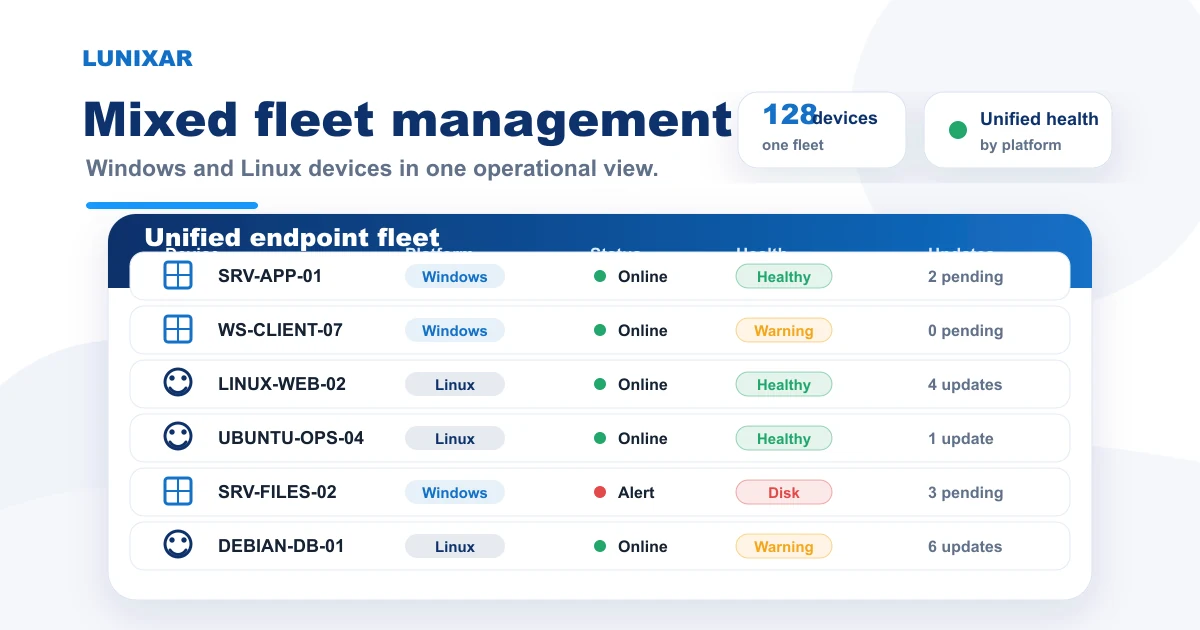
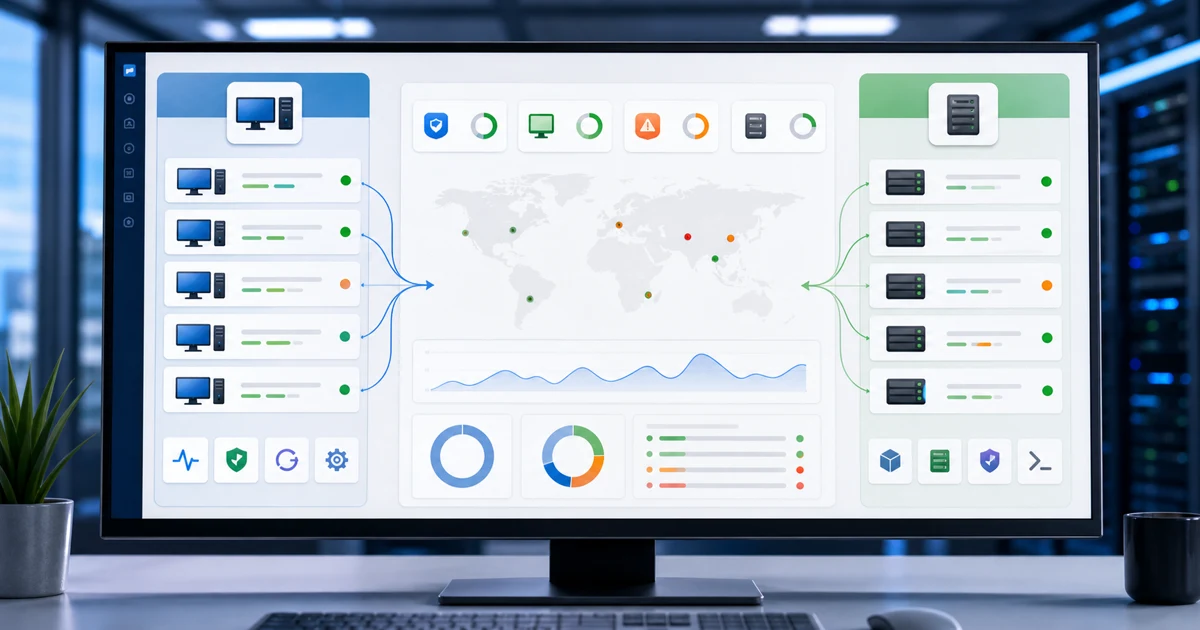
Having both platforms in the same portal changes the dynamic. You're not checking two dashboards — all devices, Windows and Linux, are in the same view.
The workflow is different per type, but it starts from the same place.
For Windows:
- Set up alerts from day one. Start with LowDiskSpace and AntivirusDisabled.
- Before any intervention, open the snapshot. Two minutes there saves you twenty of blind diagnosis.
- Apply bulk actions grouped by client or function — not just by platform.
- Save remote connections for what you can't solve any other way.
For Linux:
- Record the initial inventory when you enroll each server.
- Build a snapshot comparison routine: before every maintenance window, after any incident.
- Document SSH actions with a reference to the snapshot at the time. That closes the traceability loop that otherwise just evaporates.
Linux devices don't fall off the map just because the action scope is different. They're in the portal, with their history, visible.
5) Why unified visibility is worth more than it sounds
The difference between having Windows and Linux in the same portal vs. separate tools isn't just convenience. It's response time and context.
Concrete example: you get a LowDiskSpace alert on a Windows server. You check inventory and see several logging packages were installed in recent days. At the same time, right there in the portal, you can see the Linux server feeding it data has significantly increased its log volume. Without unified visibility, you make that connection manually — if you make it at all.
With everything in the same place, the context is together. You don't solve it automatically, but you get to the cause faster. Nine times out of ten, that's the difference between a 10-minute fix and a 90-minute rabbit hole.
Closing
Managing a mixed fleet doesn't mean having identical coverage on every platform. It means having centralized visibility and knowing exactly what you can do on each device type.
With Windows you get the full set: monitoring, alerts, patching, remote actions, Defender. With Linux you get detailed inventory with history — which is already more than most teams have without an RMM.
Lunixar RMM gives you that unified layer: all your devices in one portal, with the capabilities available per platform and no tool-hopping. If you want to try it on your current fleet, the 2-week trial includes up to 5 devices and requires no credit card.