
There is a hard way to grow in IT support.
Wait until something breaks.
Rush.
Charge.
Wait again.
Break-fix support can help you start. But if all your revenue depends on emergencies, your schedule depends on the client's worst moment.
The goal is not to stop solving problems. The goal is to sell a monthly operation that reduces surprises, organizes support, and pays you for continuity.
1) Change the promise: from "I fix it" to "I keep it running"
Break-fix sells repair.
Monthly support sells continuity.
Those are different conversations.
If the client only calls you when everything is already on fire, they compare you against any available technician. If you sell continuity, you start talking about visibility, maintenance, response flow, evidence, and decisions.
A simple promise helps:
> "Every month we review your devices, handle requests, follow up on alerts, and give you evidence of what happened."
The SBA's marketing and sales guidance pushes businesses to understand what value customers recognize and how that value will be sold. In IT support, that means you stop presenting only "hours" and start presenting fewer interruptions, follow-up, and clarity.
2) Pick clients where break-fix already shows a pattern
Not every break-fix client is ready for a monthly plan.
But some are telling you without saying it.
Clear signals:
- they call you several times per month;
- they have multiple computers but do not know how many;
- they ask for urgent help because nothing is monitored;
- they run everything through chat messages;
- they have no report of what was done;
- every visit uncovers another pending issue;
- they want a low price but expect priority.
That is an opportunity.
Do not sell them "an RMM." Sell them order.
3) Turn repeated emergencies into a monthly routine
Quick check:
What repeats every month even if the client does not see it?
Usually:
- checking slow computers;
- confirming disk space;
- validating antivirus status;
- applying or reviewing patches;
- organizing requests;
- connecting remotely;
- explaining what you did;
- recommending purchases or changes.
That is not just an event.
That is already operations.
The difference is that today you do it reactively. A monthly package turns it into a routine with an owner, calendar, and evidence.
4) Create an entry point: initial inventory
You cannot sell serious monthly support without knowing what you will support.
The first step should be inventory:
- endpoints;
- main users;
- operating system;
- critical software;
- antivirus or security posture;
- important printers or peripherals;
- locations;
- visible risks.
Without inventory, pricing is a bet.
And the bet usually gets expensive.
CISA's small business cyber guidance separates actions by roles and responsibilities. Applied to IT support, that forces you to define what your service owns, what the client decides, and what stays outside the package.
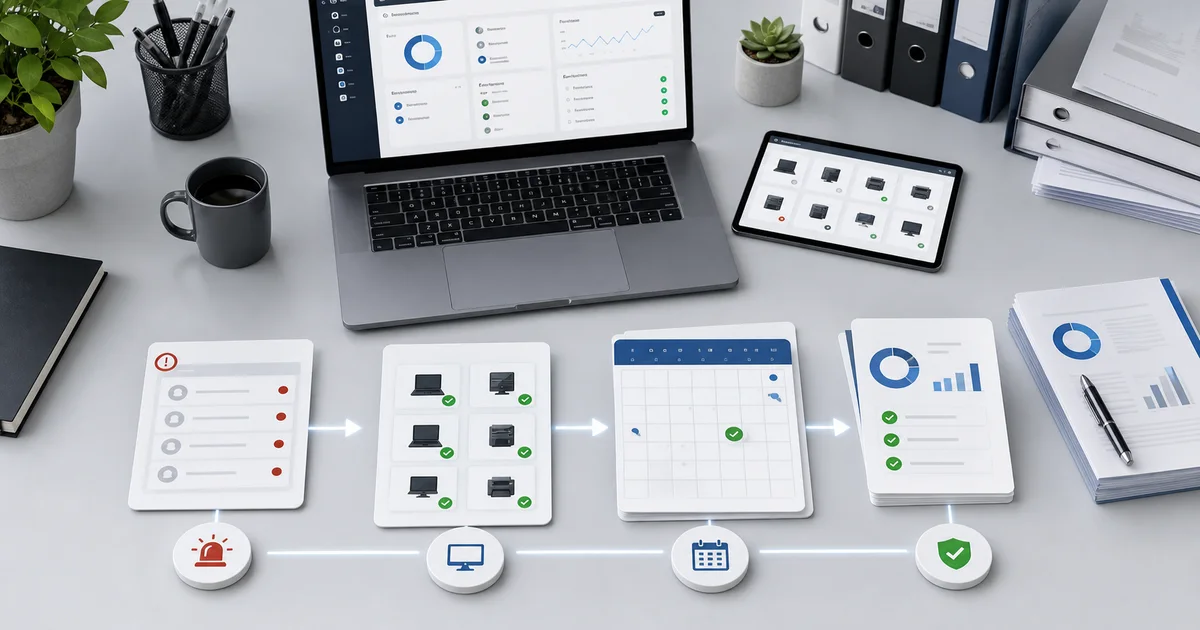
5) Build a small proposal, not a perfect one
The classic mistake is trying to jump from "I charge per visit" to "I sell a complete MSP program."
You do not need that.
Start with a simple monthly package:
Base Monthly IT Support
Includes:
- initial inventory for up to 25 endpoints;
- basic health monitoring;
- remote support during business hours;
- monthly patch and alert review;
- one channel for requests;
- short monthly report;
- next-month recommendations.
Does not include:
- large projects;
- cabling;
- hardware or software purchases;
- after-hours support;
- unscheduled urgent visits;
- unregistered devices.
That already changes the conversation.
6) Charge for continuity, not only hours
If you price only by hours, the client will argue about hours.
If you charge for continuity, you need to account for:
- availability to respond;
- tools;
- follow-up;
- administration;
- reporting;
- risk;
- margin.
The SBA recommends calculating costs to understand profitability and break-even. Its guide to calculating startup costs is not specific to IT support, but the idea applies: if you do not know your fixed costs, variable costs, and real time consumption, you can sell a lot and still lose margin.
7) Use the report as proof of value
Clients forget what they do not see.
If you do not report, the month looks empty.
Your report should show:
- how many endpoints are covered;
- which alerts appeared;
- which requests you handled;
- which patches stayed pending;
- which risks you saw;
- what you recommend deciding.
It does not need to be huge.
It needs to be useful.
8) Use Lunixar RMM so the change does not depend on memory
The move from break-fix to monthly support breaks when everything lives in your head.
Which device was it?
Which alert appeared?
Did you already check patches?
What connected last month?
What did you tell the client?
With Lunixar RMM, you can support that change with inventory, device monitoring, alerts, patch management, remote connection, and reports. It will not turn a weak offer into a strong one, but it gives you the operating base to deliver what you sell.
FAQ: moving from break-fix to monthly support
Should I stop offering break-fix support?
Not necessarily. You can keep it for very small clients or one-off work, but your main offer should point toward continuity when the client already consumes support repeatedly.
What if the client says monthly support is expensive?
Compare it against the cost of operating blind: lost time, emergencies, unplanned visits, unmaintained computers, and no evidence. If they still do not see it, they may not be a good monthly client yet.
When should I propose the change?
After an event where you found several pending issues, or when the client has already called you several times in a short period. You can say: "this no longer looks isolated; it would be better to organize it monthly."
Can I start with only a few endpoints?
Yes. It is usually better to start small. A base package with 10 to 25 endpoints can validate scope, price, real workload, and reporting format.
How does an RMM help with this change?
It helps turn reactive support into visible operations: inventory, alerts, patching, remote support, and reports in a more repeatable workflow.
Do not sell monthly support as the same work billed differently
Monthly support is not just changing the payment date.
It changes the promise.
From "call me when it breaks" to "every month we review, support, report, and decide."
That change gives you something break-fix rarely gives: predictability for you and clarity for the client.
Lunixar RMM can help you make that change with a 2-week trial, no credit card, and up to 5 devices. Use it to validate inventory, alerts, patching, remote support, and an initial report before selling your first monthly package.