
They ask for a monthly price.
You get excited.
You open a spreadsheet.
And then the problem starts.
What do you charge without giving yourself away?
That is the uncomfortable part of your first monthly IT support package. Price too low and invisible work will eat your margin. Price too high without explaining value and the client compares it with a one-off visit.
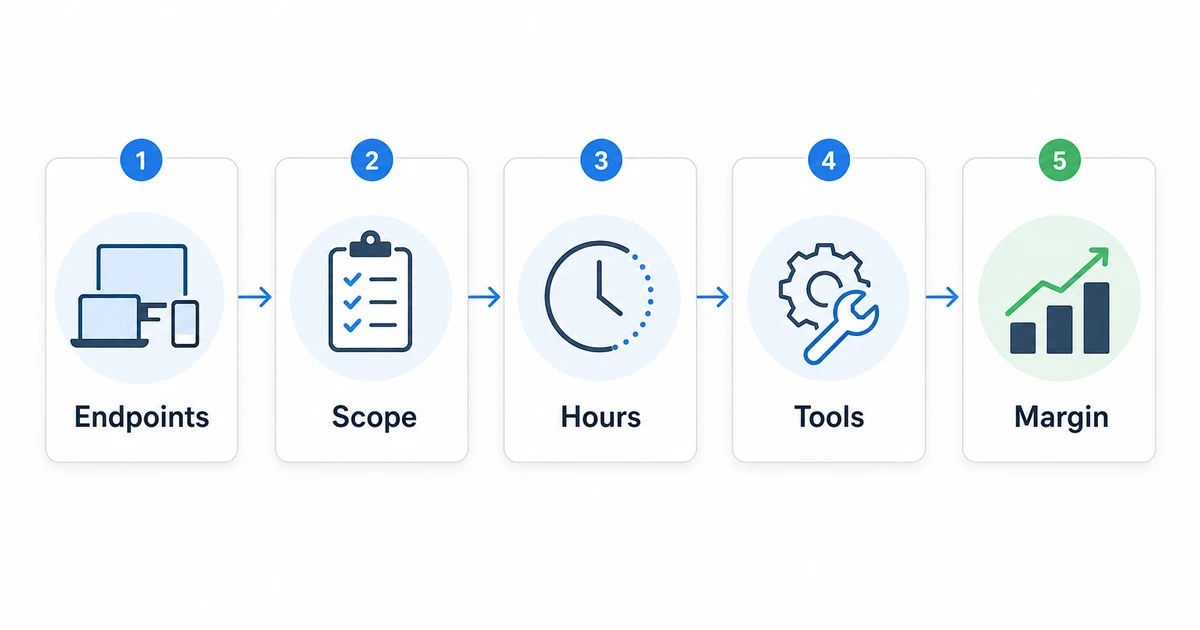
The answer is not guessing. Build the price from scope, time, tools, risk, and margin.
1) Start with the promise, not the number
Before you price it, write what the client is buying.
Not "support hours".
Not "monitoring".
Not "call me when it breaks".
The promise should sound more like this:
> "Every month we review your devices, handle requests, follow up on alerts, and give you clear evidence of what happened."
The SBA's marketing and sales guidance pushes businesses to define how they persuade customers to buy and how value is understood. In IT support, that means selling continuity, fewer surprises, and evidence; not just technical time.
2) Define what is included before you calculate value
Quick question:
What does the monthly price include?
If the answer is "whatever comes up", you will lose margin.
Define at least this:
- how many endpoints are included;
- support hours;
- request channel;
- included remote support;
- monthly review routine;
- alerts you will follow up on;
- patches you will review;
- monthly report;
- expected response time;
- what is excluded.
This connects directly with the guide on what to include in your first monthly IT support package. That article defines the base scope. Here we turn it into price.
3) Calculate your monthly base cost
Your minimum price must cover your real cost.
Not your imaginary cost.
The real one.
Start with four blocks:
- estimated technical hours per month;
- your internal hourly cost;
- tools and licenses;
- administration, follow-up, and reporting.
Simple example for 25 endpoints:
| Item | Estimate |
|---|---|
| Monthly review, alerts, and patches | 4 hours |
| Basic remote support | 4 hours |
| Administration and report | 2 hours |
| Operational buffer | 2 hours |
| Estimated total | 12 hours |
Monthly review, alerts, and patches
4 hours
Basic remote support
4 hours
Administration and report
2 hours
Operational buffer
2 hours
Estimated total
12 hours
If your real internal cost is USD 15 per hour, those 12 hours already cost USD 180 before margin, tools, and surprises.
The SBA guide to calculating costs pushes businesses to separate costs and understand break-even. It is not specific to IT support, but the logic applies: if you do not know what the service costs to deliver, you can sell a lot and still keep no profit.
4) Add tools without hiding them from yourself
The client does not need to see every license, but you do.
A monthly package usually has costs such as:
- RMM;
- remote access;
- security or antivirus;
- backups, if included;
- documentation;
- email, domain, or hosting, if you manage them;
- time spent administering tools.
If you use Lunixar RMM, current public pricing gives you two practical starting paths: Professional for serious operations, with 250 included endpoints per technician, or the Device Plan for pilots and very small fleets. You can also validate the workflow with a 2-week no-card trial for up to 5 devices.
That lets you test inventory, monitoring, alerts, patching, and remote connection before you close the monthly offer.
5) Add margin, not just survival
This is where many technicians fail.
They calculate hours.
They add tools.
And they price almost at cost.
That is not a business. It is survival with an invoice.
Business.gov.au, in its guide to choosing a pricing strategy, recommends calculating the total cost of making and supplying the product or service, then adding markup or margin. It also calls out relevant costs such as labor, overhead, and taxes.
A simple IT support formula can be:
Base price = labor + tools + risk buffer + margin
Example:
| Block | Amount |
|---|---|
| Internal labor | USD 180 |
| Tools | USD 40 |
| Risk buffer | USD 60 |
| Subtotal | USD 280 |
| Target margin | USD 120 |
| Suggested monthly price | USD 400 |
Internal labor
USD 180
Tools
USD 40
Risk buffer
USD 60
Subtotal
USD 280
Target margin
USD 120
Suggested monthly price
USD 400
Do not treat those numbers as a universal rate. Treat them as a method. Price changes by country, client, complexity, SLA, hours, visits, tools, and experience.
6) Set a monthly minimum
A client with 3 PCs can consume more energy than one with 25.
Because the issue is not always endpoint count.
It is context.
Some clients:
- send everything through WhatsApp;
- do not approve changes;
- pay late;
- want urgency but buy basic;
- have critical software with no documentation;
- expect visits even though they bought remote support.
That is why you need a monthly minimum.
Not to punish the client. To keep the package sustainable.
7) Separate monthly support from projects
Do not put everything inside the monthly fee.
Cabling.
Migrations.
New servers.
Purchasing.
Large implementations.
Those should be quoted separately.
The monthly package keeps operations visible, handles reasonable requests, reviews alerts, and delivers evidence. Projects change the environment.
If you mix both, the client will expect free projects because "we already pay monthly".
8) Present the price with evidence, not apologies
Do not say:
"I charge this because it is the lowest I can do."
Say:
"This price covers endpoints, monthly review, remote support, alerts, patches, reporting, and follow-up. Projects are separate so the scope stays clear."
Then show the flow:
- initial inventory;
- monthly review;
- support requests;
- alerts and patches;
- report;
- recommendations.
If you are moving from one-off support into a monthly model, connect this conversation with how to move from break-fix to monthly IT support.
FAQ: pricing your first monthly IT support package
Should I charge per endpoint or as a package?
For a first offer, a package with an endpoint range is often easier to sell: "up to 25 endpoints". Per-endpoint pricing helps when the client grows or when you want price to scale with the fleet.
How much margin should I add?
It depends on your market, costs, and experience, but do not quote at cost. You need margin for surprises, sales time, administration, learning, and growth.
Should I show tool costs to the client?
Not necessarily. You can sell one integrated monthly price. What matters is that you calculate tools internally so you do not absorb them.
What if the client says it is expensive?
Compare it with the cost of operating blind: stopped users, urgent calls, unplanned visits, unpatched devices, and no evidence. If they still do not see it, they may not be ready for monthly support.
Can I start low just to get in?
You can run a pilot, but give it a date, scope, and rules. Do not turn a temporary discount into the normal rate.
Do not price monthly support with break-fix thinking
The monthly price is not one visit multiplied by 30 days.
It is a different promise.
Continuity.
Visibility.
Evidence.
And it must pay you for sustaining all of that.
Lunixar RMM can help you validate that package before you sell it: connect up to 5 devices in the 2-week trial, review inventory, alerts, patching, remote connection, and reports, then use that evidence to price with more confidence.