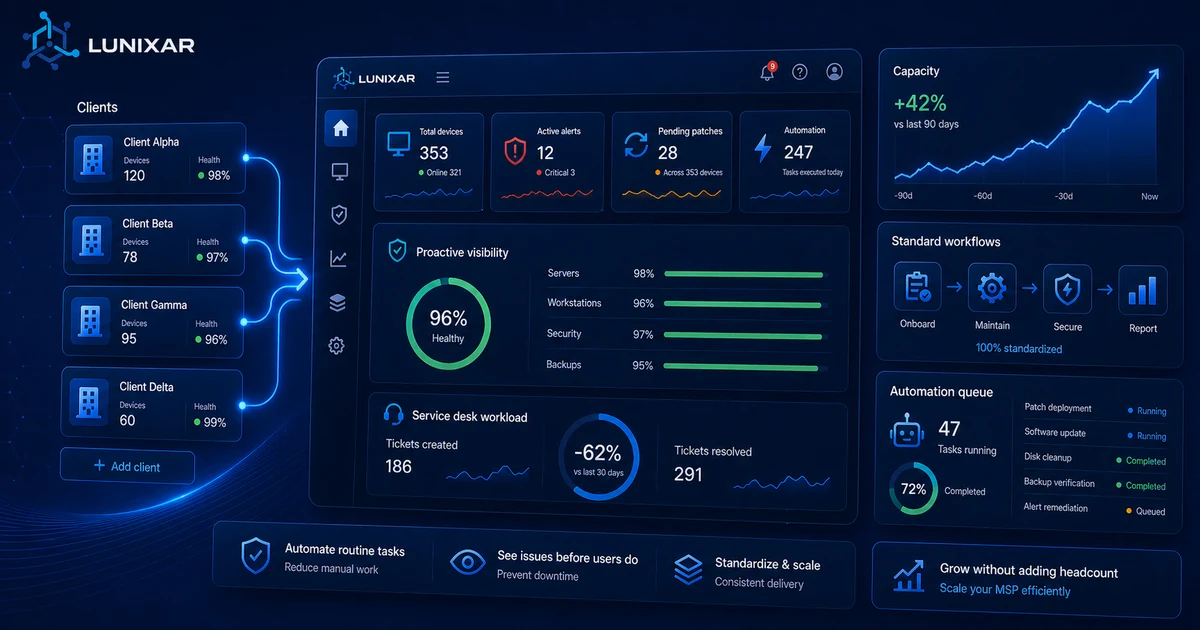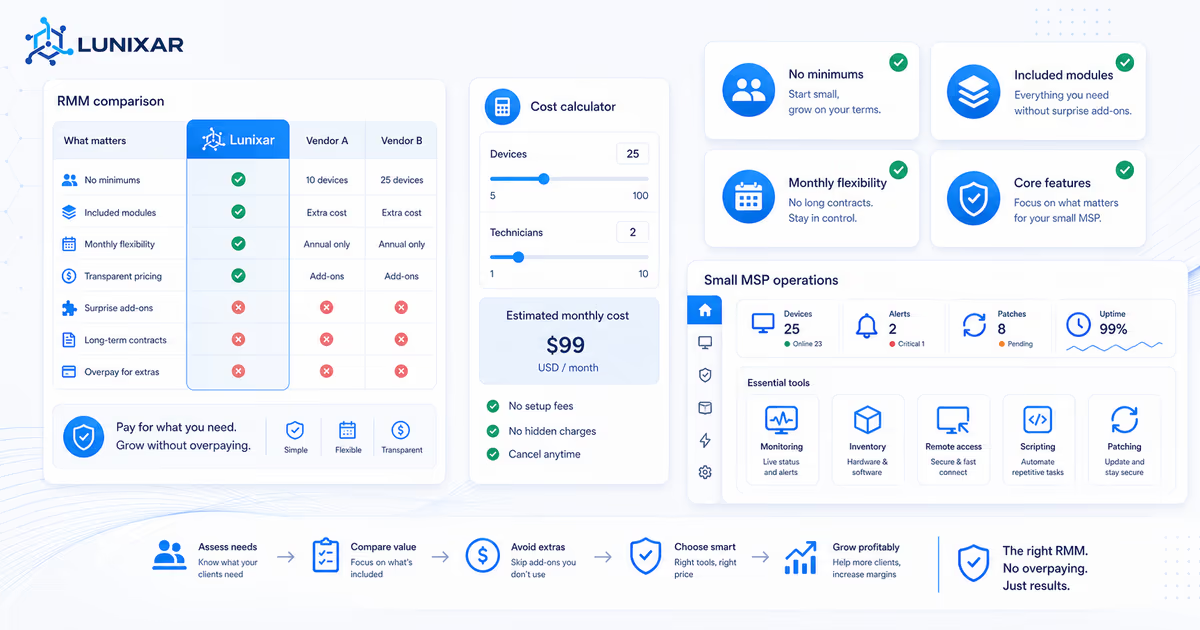
If you are looking for the best RMM for a small MSP with fewer than 10 technicians, most tools on the market were not built for you.
They were built for vendors who want to sell you the enterprise tier — even when what you need is something functional, without unnecessary complexity, and without tool costs that exceed your client margins.
The problem is that many small MSPs end up overpaying… or worse: avoiding an RMM altogether because "it's too expensive" and running their whole operation on AnyDesk and spreadsheets. Neither option works.
This MSP RMM comparison guide is direct: what to check before signing up, which pricing traps to avoid, and what you actually need from day one.
The most common mistake: confusing "full-featured" with "necessary"
Enterprise RMMs are loaded with features. Helpdesk, asset management, advanced scripting, PSA integrations, custom reports, client portals, executive dashboards…
Sounds great on paper. In practice, if you're managing 200 devices with 3 technicians, you'll never use half of those features. And you're paying for them anyway.
Before evaluating any tool, ask yourself one question:
What real problems do I have right now that an RMM should solve?
The answer is probably:
- I have no visibility into what's happening on my clients' machines.
- I find out about problems when the user calls me.
- Routine tasks (patches, cleanup, configurations) are done manually, machine by machine.
- I need to physically visit or use basic remote access for everything.
That's what you need to fix. You don't need a client-facing ticket portal if you're still handling everything over messaging apps.
Trap 1: licensing minimums
Many RMMs have a minimum device or license count. "Per-device pricing, minimum 50 endpoints."
If you're managing 30 devices, you're paying for 20 that don't exist.
If you're growing fast, that evens out over time. But if you're starting out or have a stable small volume, that minimum forces you to pay for capacity you're not using from day one.
Trap 2: the "base is cheap, everything else costs extra" model
This is the classic one. The advertised price includes basic monitoring. But:
- Integrated remote access: separate module.
- Patch management: separate module.
- Scripting: available on the Pro tier.
- Email alerts: included. Alerts with actions: Enterprise tier.
By end of month, what looked like $1 per device becomes $4 or $5 because you needed the modules that actually matter.
Trap 3: mandatory annual contracts from the start
Some vendors won't let you go monthly. Sign annual or don't sign.
The problem is you don't know if the tool fits your workflow until you've used it in production with your real clients. Signing a year without having tested it is an unnecessary risk.
Trap 4: regional pricing or "contact our sales team"
If the price isn't published on the page and you have to talk to a salesperson to find out, get ready for long negotiations, "special" discounts that depend on how hard you push, and surprises at renewal.
Small MSPs don't have time for that, and they don't have the volume for real negotiating power either.
What you actually need from day one
After cutting out the noise, here are the features that matter when you're starting:
Endpoint monitoring. CPU, RAM, disk, service status, automatic alerts when something goes out of the ordinary. This is the core. Without it, there's no RMM.
Hardware and software inventory. Know what each machine has without connecting to it. OS versions, installed programs, pending patches.
Integrated remote access. Not as an add-on module. Directly from the same platform where you see alerts and inventory. The flow is: see the alert → open the device → resolve it. All in one place.
Script execution. PowerShell, CMD, Bash. To automate the things you do over and over. This alone gives you hours back per week.
Patch management. Know which devices are out of date and apply patches from the platform, without depending on the user.
Everything else is secondary when you're starting out. The helpdesk, PSA integration, executive reports — those come later, when you have the volume that justifies them.
Is the cheapest RMM always the lowest-cost RMM?
Not necessarily.
The cheapest RMM on a pricing table can become expensive if the features you need are paid add-ons, if there is a minimum device count, or if cancellation is tied to a long contract.
For a small MSP, compare the operational cost, not just the headline price:
- How many devices do you manage today?
- Are patch management, remote access, scripting, alerts, and inventory included?
- Is there a device or technician minimum?
- Can you test with real devices before paying?
- Can you cancel without negotiating with sales?
If a tool is cheap but forces you to keep spreadsheets for inventory, separate software for remote access, and manual work for patches, the savings disappear in technician time.
MSP RMM comparison checklist
When people search for the best RMM for a small MSP, they usually need a practical comparison, not a generic feature grid. Use this checklist before choosing:
| Comparison point | Why it matters for a small MSP |
|---|---|
| Published RMM pricing | You can estimate cost without waiting for a sales call. |
| Included remote access | Remote support should not become a surprise add-on. |
| Included patch management | Patching is part of daily operations, not a luxury module. |
| Device or technician minimums | Minimums can make a cheap RMM expensive at small volume. |
| Monthly and annual options | You need room to test before committing long term. |
| Real trial access | A guided demo is not the same as testing with real endpoints. |
| Windows and Linux coverage | Mixed fleets need one operating view, even when capabilities differ by OS. |
Published RMM pricing
You can estimate cost without waiting for a sales call.
Included remote access
Remote support should not become a surprise add-on.
Included patch management
Patching is part of daily operations, not a luxury module.
Device or technician minimums
Minimums can make a cheap RMM expensive at small volume.
Monthly and annual options
You need room to test before committing long term.
Real trial access
A guided demo is not the same as testing with real endpoints.
Windows and Linux coverage
Mixed fleets need one operating view, even when capabilities differ by OS.
The best RMM for a small MSP is usually the one that makes the daily workflow easier at your current size: alerts, inventory, remote access, scripts, patching, reporting, and pricing you can understand before talking to sales.
How to evaluate without committing
The process that actually works:
- Find a free trial with real access. Not a guided demo where the vendor shows you what they want you to see. Access to the platform with your own machines, no credit card required.
- Install the agent on 3 or 4 real client devices. Not your own machines. You need to see how it behaves in an environment you don't control.
- Test the full flow: receive an alert → check inventory → open remote access → run a script → apply a patch. If that flows without friction, the RMM does its job.
- Check the real cost at your current volume. Not at the volume you expect to have in 2 years. With what you have today. What would you pay this month if you signed up?
- Verify you can cancel easily. A vendor that believes in its product doesn't need to trap you with hard-to-exit contracts. If cancellation requires talking to someone, treat that as a signal.
MSP size matters for the tool you choose
An MSP with 50 technicians and 5,000 endpoints can absorb enterprise RMM costs, justify the implementation complexity, and dedicate someone to configuring it.
An MSP with 3 technicians and 300 endpoints needs something that works from day one, doesn't require a 3-month implementation project, and whose monthly cost is proportional to the business.
That's not settling for less. It's choosing the right tool for the right size.
RMMs built for small MSPs aren't cut-down versions of the big ones — they're platforms that prioritize fast adoption, transparent pricing, and features you use every day over features that sound good in a slide deck.
Lunixar RMM is built with that logic: monitoring, inventory, remote access, scripting, patching, reports, and security context in one platform, with published prices, no add-on modules, and a 2-week free trial with no credit card. Professional starts at USD 79/month per technician and the Device Plan starts at USD 0.75/endpoint/month for small fleets and pilots. Start evaluating it today, not in 3 months.
For the current numbers, review Lunixar RMM pricing and compare the Technician Plan against the Device Plan using your real endpoint count.
Related reading to keep going
If you want to turn this topic into a real operating workflow, continue with these guides: