Lunixar adds patch management in beta to help you keep devices up to date with less friction
If you support client environments or manage internal IT operations, you already know keeping devices updated should not feel like a heavy task.
But many times, it does.
Because knowing patching matters is one thing. Having a clear way to see what is missing, take action at the right time, and follow up without relying on manual processes is something else entirely.
That is where one of Lunixar’s newest capabilities comes in:
Patch Management in beta.
With this new feature, Lunixar takes an important step toward more complete device management by giving teams better visibility into pending updates and more control over how they handle them.
This is not a technical changelog. It is a better way to explain what problem this solves, why it matters, and where this feature is going next.
1) The real problem: keeping devices updated takes more time than it should
In many environments, patching ends up becoming a mix of manual checks, incomplete follow-up, and actions that depend too much on technician memory.
And that creates friction.
Because the same questions keep coming up:
- which devices have pending updates
- which ones need attention first
- what has already been installed
- what is still pending
- and whether the action actually ran as expected
When that information is not clear, what should be preventive maintenance turns into reactive work.
And if you manage multiple devices or multiple clients, that problem scales quickly.
2) What Patch Management brings to Lunixar
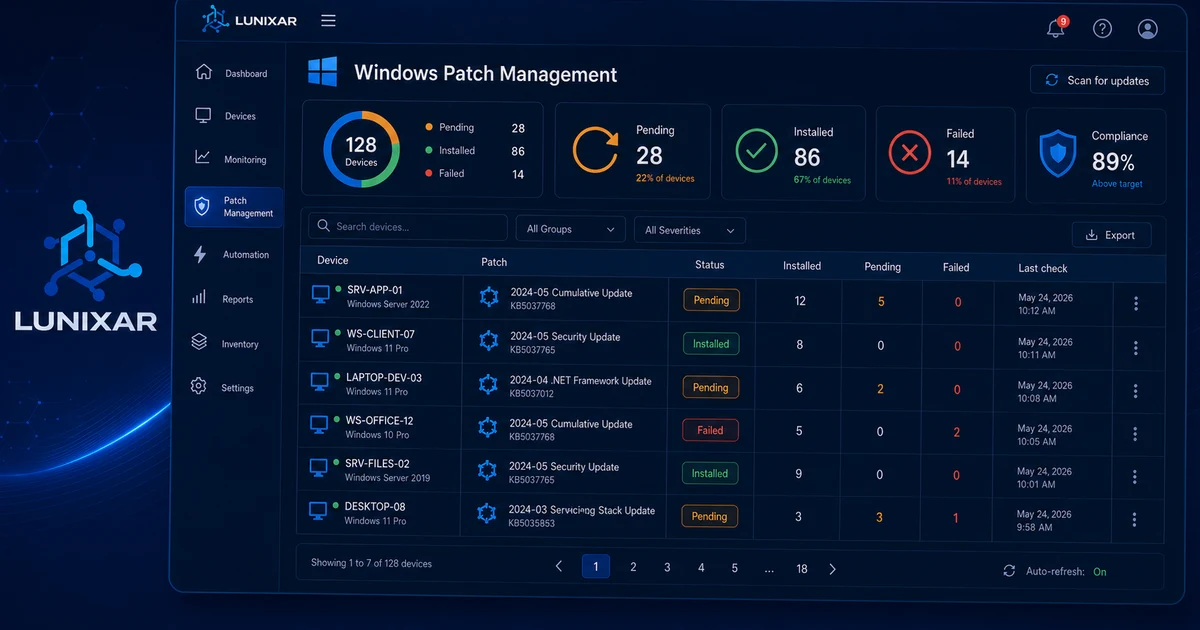
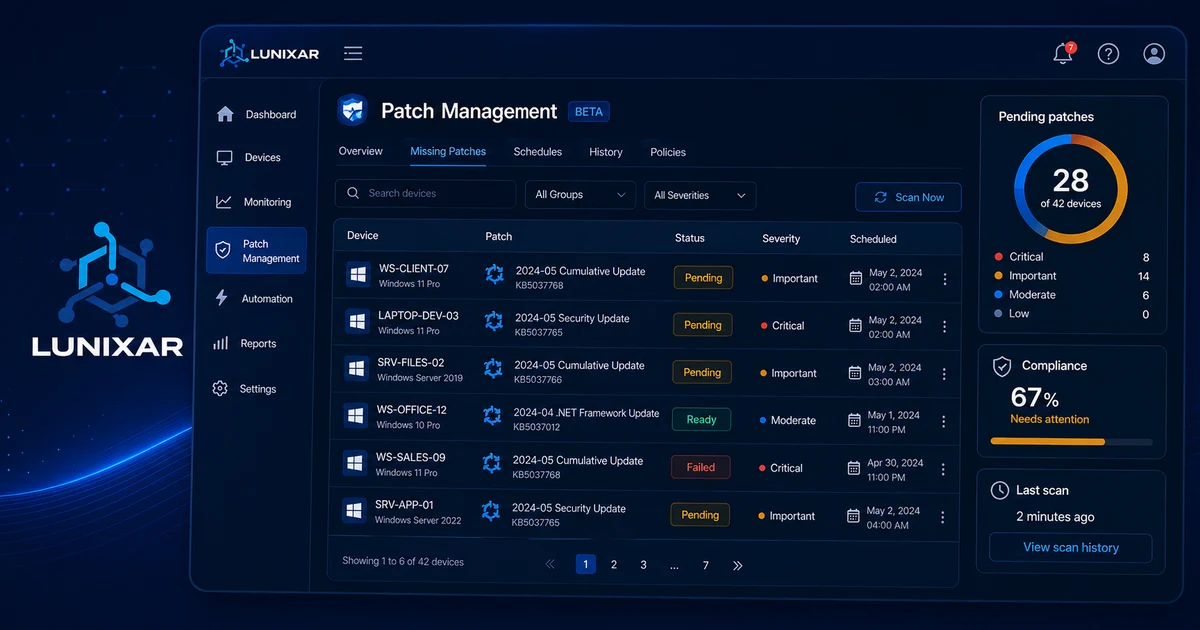
Lunixar’s new Patch Management capability is designed to help teams work with more clarity around device update status.
Even in this beta stage, it already brings a much more practical experience to tasks that often feel scattered or hard to track.
With Patch Management in Lunixar, you can get a better sense of:
- which updates are pending
- which devices need attention
- what actions you want to take
- and what result each process produced
That leads to something important:
less guesswork and more operational control.
3) This is not only about installing patches, it is about visibility
One of the most common problems with patching is that many times an update is triggered, but nobody has a clear view of what happened afterward.
And when there is no visibility, trust drops.
That is why this new capability is built to make patching feel less like a black box.
The idea is to help you see device update status more clearly, identify what still needs attention, and follow ongoing work with more confidence.
That makes a real difference in day-to-day operations because it reduces the classic situation of:
we already pushed the updates, but we do not really know what happened next.
4) It also helps reduce repetitive work
When the update process is not well integrated into the platform, the team ends up compensating with manual steps.
More checking More confirming More follow-up in separate places More time lost on repetitive work
Patch Management in Lunixar is meant to start reducing exactly that kind of friction.
Not because it magically removes all operational effort. But because it gives you a clearer foundation for handling updates from the same environment where you are already managing devices.
And when a frequent task becomes more visible and more organized, it also becomes easier to scale.
5) Now available in beta for Windows
At this stage, Patch Management is available in beta for Windows devices.
That matters because this module is still evolving.
There is already a useful foundation in place to start handling this part of device management inside Lunixar, but this is not yet the final version or the full scope of what we want to build around patching.
Even so, this beta already represents an important step for IT teams and service providers that want to operate with more order and more context.
6) What comes next: support for third-party applications
One of the next steps for this feature will be expanding coverage to third-party applications.
And that matters a lot.
Because in real-world operations, keeping only the operating system updated is often not enough.
There are many other applications installed on endpoints that are part of daily work and also need attention.
That is why Lunixar is not aiming to stop at a basic operating system update layer. The direction is to build a patch management experience that becomes increasingly useful for real support and device administration scenarios.
7) What this means for MSPs and internal IT teams
In practical terms, this new beta helps patching feel less manual and less scattered.
That can translate into clear benefits such as:
- better clarity on which devices need attention
- better follow-up on update status
- less operational friction
- less dependence on improvised processes
- and a better foundation for keeping devices up to date
This is not just another new feature.
It is a capability aimed at a very real and very constant operational challenge in IT.
Closing
Patch Management in beta is now part of Lunixar as another step toward more complete device management.
The goal is clear:
more visibility, more control, and less friction when it comes to keeping devices updated.
There is still more to build, and one of the next priorities will be expanding toward support for third-party applications.
But even now, something important is already in place:
Lunixar keeps evolving to help you operate with more clarity, less manual work, and better control over critical IT tasks.