


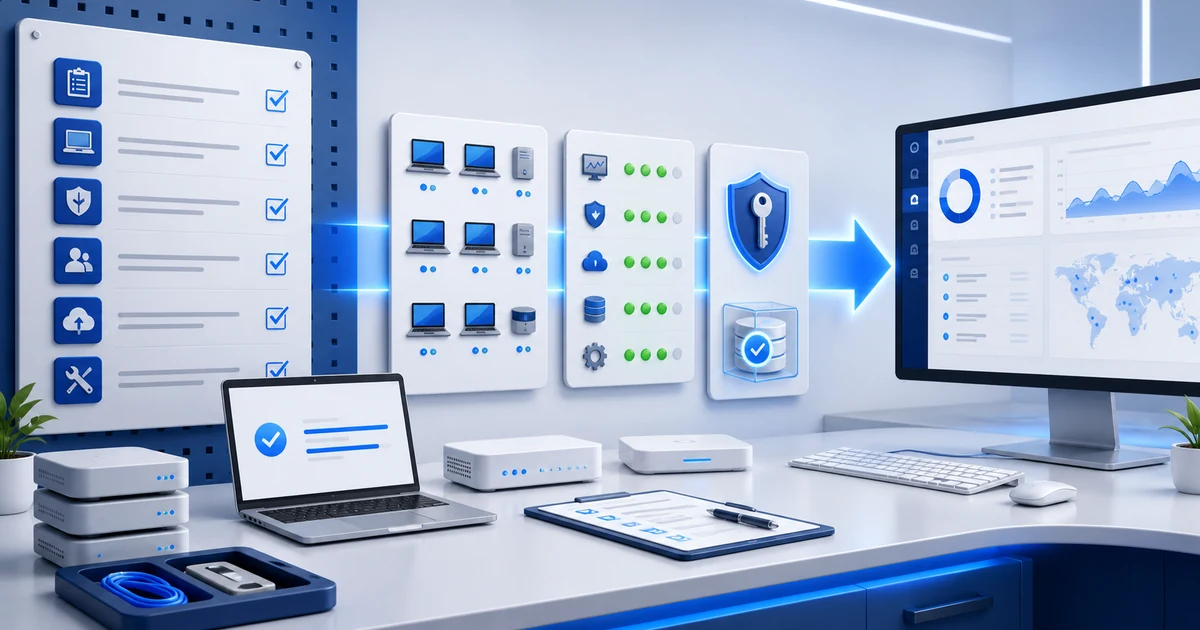
The agent shows green.
Endpoints are checking in.
The client wants to start today.
But operations still isn't ready.
Download the MSP client go-live checklist in XLSX. It includes 34 criteria, an automatic readiness decision, evidence, blockers, exceptions, and Spanish, English, and Portuguese tabs.
Go-live shouldn't happen when someone says, “we're done.” It should happen when the MSP and the client can prove the service is ready to move from the onboarding project into day-to-day operations.
1) Define “ready” before you reach go-live
Installing the agent is a milestone. It isn't the whole exit criterion.
A client is ready for support when scope, people, access, fleet coverage, technical controls, and operating procedures match what was agreed. If that definition appears only in the final meeting, every team will arrive with a different idea of done.
NIST recommends documenting the service level, responsibilities, and expectations when a business engages a managed service provider. It also points out that outsourcing work doesn't transfer the responsibility the client retains for its systems and data.
Turn that guidance into observable criteria:
- signed scope matches the service going live;
- authorized contacts and alternates are identified;
- expected endpoints are reconciled;
- essential access and controls have been verified;
- open items have an owner, date, and disposition;
- the MSP and client approved the handoff.
Connect these criteria to your MSP–client responsibility matrix and SLA. The checklist doesn't replace either one. It confirms that both can now be put into practice.
2) Separate real blockers from work that can continue after launch
A go-live with zero open items almost never exists.
The useful question isn't “is everything perfect?” It's “does anything prevent us from delivering the service safely and within scope?”
Classify every control as blocking or non-blocking:
| Type | Example | Decision |
|---|---|---|
| Blocking | no authorized administrative access exists | do not hand off to operations |
| Blocking | critical backups can't be verified | fix it or formally approve the risk |
| Non-blocking | a secondary-site diagram needs improvement | assign a date and continue |
| Non-blocking | one user group needs additional training | schedule follow-up |
Blocking
no authorized administrative access exists
do not hand off to operations
Blocking
critical backups can't be verified
fix it or formally approve the risk
Non-blocking
a secondary-site diagram needs improvement
assign a date and continue
Non-blocking
one user group needs additional training
schedule follow-up
Don't use “pending” as a hiding place. A blocker needs correction. An exception needs an authorized decision, understood impact, and review date. A not-applicable item needs a reason.
The template returns READY only when every blocking control is ready, not applicable, or covered by an approved exception.
3) Reconcile the fleet: expected, discovered, and actually managed
The agreement says 60 endpoints.
The client's sheet lists 57.
The RMM shows 54 agents, and four haven't checked in for days.
That's not a detail to “look at later.” It's a scope difference that will affect monitoring, support, patching, and billing.
Start with the endpoint onboarding checklist and reconcile:
- expected endpoints by site or department;
- discovered devices;
- installed and reporting agents;
- offline or unreachable machines;
- confirmed exclusions;
- owner and purpose of every uncertain asset.
Then verify that devices are grouped, tagged, and assigned to the right client. A console full of unclassified agents still isn't an orderly operation.
In Lunixar RMM, inventory, last reported state, alerts, and patch results can contribute to the evidence. Reconciliation and scope acceptance remain MSP–client process decisions.
4) Verify access, security, and recovery through results
A checked box doesn't prove a control works.
Before go-live, verify at least:
- authorized administrative access, protected with MFA where supported;
- temporary and former-provider accounts with an owner and deadline;
- remote-access scope and actions that need approval;
- known antivirus or endpoint-protection status;
- patch baseline and maintenance windows;
- critical alerts resolved or accepted as exceptions;
- backups, retention, and one representative restore;
- incident and continuity contacts.
Joint guidance from CISA and other authorities on protecting MSPs and their customers emphasizes coordinated controls around MFA, logging, backups, remote access, and incident response. The value comes from both sides knowing what exists, who acts, and how the result is verified.
Don't place passwords, secrets, or recovery codes inside the checklist. Link to evidence and record where a secret is managed—not the secret itself.
5) Turn inherited risks into visible decisions
A new MSP inherits uncomfortable things.
An unsupported server. An application that can't be restarted. A shared account. A backup that has never been restored.
Go-live doesn't erase those risks. It only changes who can see them and who must act.
For every open risk, record:
- description and impact;
- affected asset or service;
- proposed treatment;
- follow-up owner;
- due date;
- compensating control, if any;
- person accepting the exception;
- exception expiration date.
Don't confuse “the client already knew” with acceptance. Acceptance must be tied to an authorized person and a specific scope.
6) Make a real handoff to the people who will answer tickets
The onboarding project knows every detail.
The service desk gets the first ticket on Monday… and nobody told them anything.
Before the handoff, the operations team must be able to find:
- contacts, sites, hours, and authorized channels;
- contracted scope and exclusions;
- priorities and SLA targets;
- critical systems and dependencies;
- access and emergency procedures;
- external vendors and owners;
- open items, exceptions, and scheduled changes;
- runbooks for the most likely cases.
Test the flow with a sample ticket. Does it reach the right queue? Can the team identify the client? Is there enough context to classify it? Does after-hours escalation work?
Go-live is complete when operations can deliver the service—not when the project team finishes its list.
7) Get sign-off and schedule 7-day and 30-day reviews
Sign-off should summarize reality, not decorate the closeout.
Include:
- completed controls;
- resolved blockers;
- approved exceptions;
- non-blocking open items;
- effective service date and time;
- MSP operations owner;
- authorized client owner.
Then schedule two reviews:
- At 7 days: validate tickets, alerts, access, offline endpoints, and communication issues.
- At 30 days: review trends, open items, risks, scope, and next projects using evidence from RMM reports.
If scope changes during that period, update the handoff record and responsibility matrix. Initial approval shouldn't freeze a reality that has already changed.
8) Download the checklist and use it as an exit record
The workbook contains 34 controls across seven phases:
- governance and scope;
- identity and access;
- fleet and RMM;
- security and patching;
- backup and continuity;
- service operations;
- handoff and sign-off.
Download the MSP client go-live checklist (.xlsx)
Each language tab includes owners, evidence links, status lists, blocking flags, dates, reviewers, client acceptance, notes, and a formula-driven readiness decision.
Duplicate it for each client. Adapt the criteria to the actual agreement, risk, systems, and regulatory requirements. Keep the approved copy with the contract, SLA, and onboarding record.
MSP go-live checklist FAQ
Does go-live require every item to be complete?
No. It requires every blocking item to be resolved, marked not applicable with a reason, or covered by an approved exception. Non-blocking work still needs an owner and date.
Is an installed RMM agent enough to declare an endpoint ready?
No. Confirm reporting, ownership, grouping, monitoring policy, security state, patch baseline, access authorization, and any known exception.
Who should approve go-live?
At minimum, the MSP operations owner and an authorized client owner. High-risk exceptions may need additional business, legal, privacy, or security approval.
What evidence belongs in the workbook?
Use links or references to tickets, exports, reports, test results, and approved records. Don't store passwords or secrets in the checklist.
Does the template replace a contract or professional advice?
No. It's an operational tool. Adapt it with qualified advice when legal, contractual, regulatory, privacy, or industry-specific requirements apply.
A clean handoff makes the first support day feel routine
The client doesn't need a ceremonial launch.
They need the first alert, ticket, patch window, and escalation to work as expected.
Lunixar RMM can centralize endpoint inventory, reported state, alerts, patch results, and reports. The go-live process connects that evidence to people, scope, exceptions, and approval.
Explore Lunixar RMM for MSPs and try up to 5 devices for 14 days, with no credit card.