Every CVE sounds urgent. Your team can't chase all of them. That's where the real problem starts.
For an MSP or an internal IT team, vulnerability management isn't about collecting findings. It's about deciding what you handle today, what goes into maintenance, and what needs a documented exception.
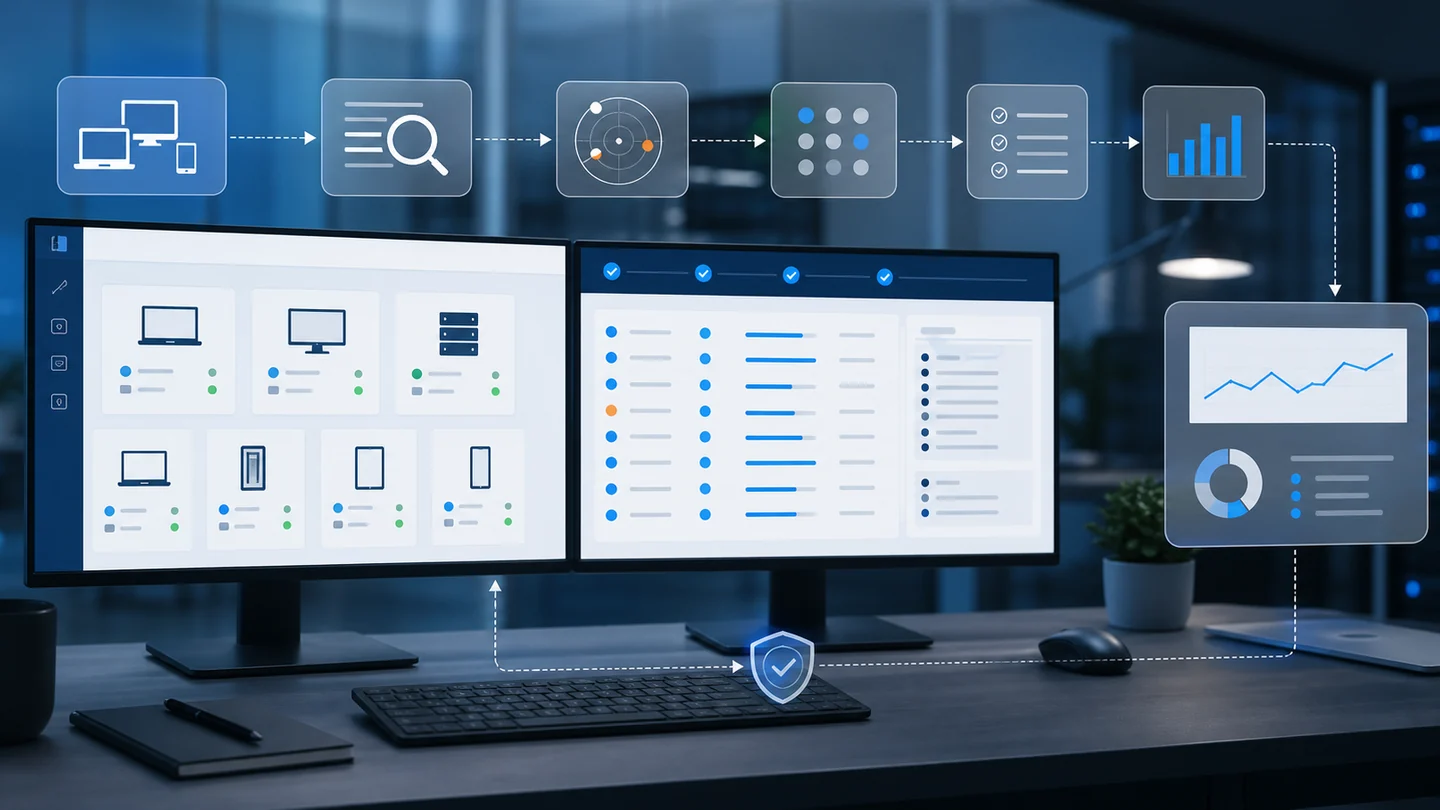
The difference is signal correlation: real inventory, installed versions, applicable CVEs, known exploitation, exploitation probability, patch state, and endpoint criticality.
1) Start with real inventory, not an abstract CVE list
A CVE without context creates noise.
The question that matters is: where does that exposure exist in your fleet?
To answer it, you need software inventory per endpoint: name, version, publisher, and device. Without that, the vulnerability stays theoretical. With inventory, it becomes concrete work:
- Which machines have the affected software?
- Which version is installed?
- Is the endpoint active, critical, or rarely used?
- Is a patch pending?
- Did a previous update fail?
If the answer starts with "we need to check every machine manually," you've already lost time. The workflow should start from live inventory, not a separate spreadsheet of identifiers.
2) Use reliable sources to separate noise from risk
Not every CVE is being exploited. Not every CVE carries the same exploitation probability. And not every CVE affects your environment.
Three sources help prioritize better:
- CISA Known Exploited Vulnerabilities Catalog: CISA maintains this catalog as a reference for vulnerabilities exploited in the real world.
- FIRST EPSS: EPSS estimates the probability that a CVE will be exploited in the next 30 days.
- NIST NVD: the NVD vulnerability API can retrieve CVE information and associated data.
The point is not following one source blindly. The point is combining signals:
| Signal | What it tells you | How to use it |
|---|---|---|
| Inventory | Where affected software exists | Defines real scope |
| CISA KEV | Known exploitation | Raises priority |
| EPSS | Exploitation probability | Orders the backlog |
| Patch status | Whether an action is pending | Connects risk to remediation |
| Endpoint criticality | Impact if the device fails or is compromised | Adjusts urgency |
Inventory
Where affected software exists
Defines real scope
CISA KEV
Known exploitation
Raises priority
EPSS
Exploitation probability
Orders the backlog
Patch status
Whether an action is pending
Connects risk to remediation
Endpoint criticality
Impact if the device fails or is compromised
Adjusts urgency
3) Prioritize by exposure, not severity alone
CVSS helps, but it is not enough.
A critical vulnerability in software you do not run is not your fire. A medium vulnerability in widely deployed software, with active exploitation and exposed devices, may be more urgent.
A practical queue can look like this:
- Handle today: CVE in CISA KEV, high EPSS, installed on active or sensitive endpoints.
- Schedule for maintenance: relevant vulnerabilities with available patches but no strong signal of immediate exploitation.
- Follow up: findings with low exposure, offline devices, or possible false positives.
- Accept risk: cases where the team decides not to remediate yet, with a documented reason.
That last point matters. Accepted risk should include who accepted it, why, and until when. False positives also need evidence. Without that, the backlog becomes noisy again.
4) Connect vulnerabilities with patching
Vulnerability management does not end at "there is risk."
It should answer: what action closes this risk?
In many cases, that action is an operating system patch or a third-party application update. That is why vulnerability management should sit near patch management. If you detect exposure but cannot connect it to execution, you have created another list.
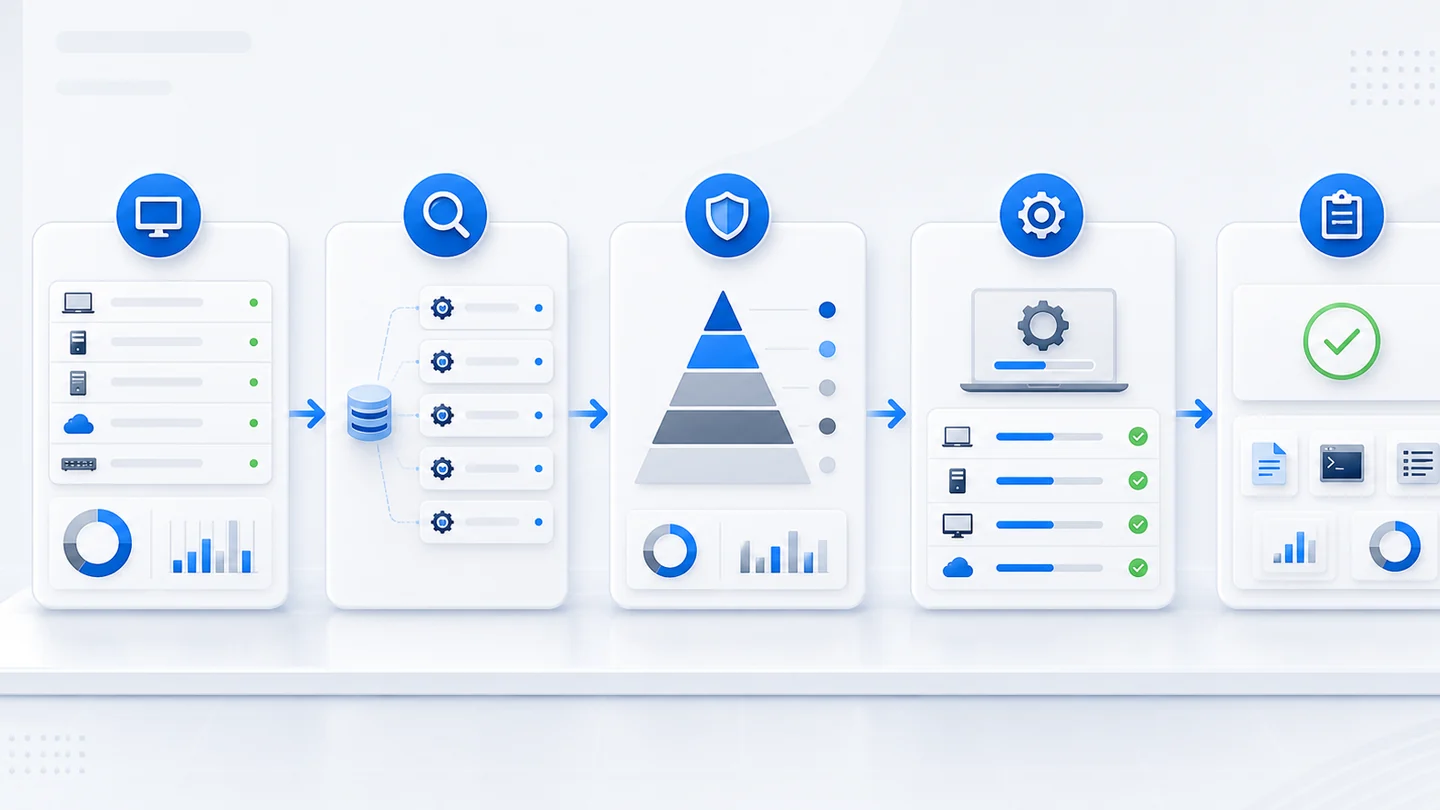
A healthy workflow:
- Detect installed software.
- Match version to CVEs.
- Correlate KEV, EPSS, and endpoint context.
- Prioritize the finding.
- Deploy the patch or remediation.
- Verify whether the endpoint is no longer exposed.
- Document exceptions.
This turns vulnerability data into operational work instead of another alert stream.
5) Make it practical for MSPs and internal IT
For an MSP, this scales quickly: one client may have 20 endpoints, another 80, another 300. For an internal IT department, the same thing happens across offices, remote users, servers, forgotten laptops, and apps nobody requested but everyone uses.
If you review CVEs machine by machine, you never finish.
You need a tenant-level view:
- open findings,
- severity,
- affected endpoints,
- patch state,
- exceptions,
- false positives,
- and improvement over time.
That helps internal prioritization and client communication. You do not need to send a huge CVE list. You need to show risk, action, and progress.
6) What to check before buying or migrating RMM
When you evaluate this capability in an RMM, don't stop at the dashboard.
Ask directly:
- Can it correlate CVEs against real inventory?
- Does it separate known exploitation from theoretical findings?
- Can you see which endpoints are still affected?
- Does it connect findings with patching or remediation?
- Can it document false positives, accepted risk, and owners?
- Can it separate by client, site, tenant, or criticality?
- Can it show progress in reports people can actually read?
If it cannot answer those questions, you're probably looking at another list. And another list catches up with you when there's pressure.
7) Report progress, not just findings
A useful vulnerability report should not be a huge export that nobody reads. For technical leads, management, or MSP clients, the report should answer four questions:
- which vulnerabilities remain open,
- which endpoints are affected,
- which actions have already been taken,
- and which exceptions were documented.
This is where reporting connects security with operations. If a vulnerability remains open because the device is offline, that is not only a security issue; it is also operational follow-up. If a patch failed, it belongs in the maintenance queue. If risk was accepted, it should appear as a visible and reviewable exception.
That approach helps Lunixar RMM for MSPs go beyond monitoring. The client conversation moves from "there are many CVEs" to "these are the active risks, these are the actions taken, and these are the cases that need a decision."
Closing: turn CVEs into decisions
Vulnerability management is useful when it reduces uncertainty.
Not when it gives you more tabs.
For MSPs and IT teams, the goal is simple: know what to handle first, execute with evidence, and explain progress without drowning anyone in an endless list.
If you're building that workflow, review how Lunixar RMM connects inventory, monitoring, alerts, patching, reports, and daily operations so the technical team can prioritize with more clarity.
Sources to review
- CISA Known Exploited Vulnerabilities Catalog
- NIST National Vulnerability Database
- NVD Vulnerability APIs
- FIRST EPSS
- Microsoft Security Update Guide